Voicent CRM helps you manage customers, accelerate your sales pipeline, and have total control over your business processes. With our feature-rich CRM software, you can automate your business workflow with phone, text, and email capabilities.
You can plug and play any Voicent software with the CRM to produce seamless marketing campaigns, sales efforts, and customer service. Voicent's voice, text, email software can use your contact lists in the Voicent CRM without any integration or extra steps.
With Voicent CRM, you can get started in minutes with the point and click CRM import wizard and easy contact management tools. We also provide customizable fields and display options so your CRM fits your business perfectly.
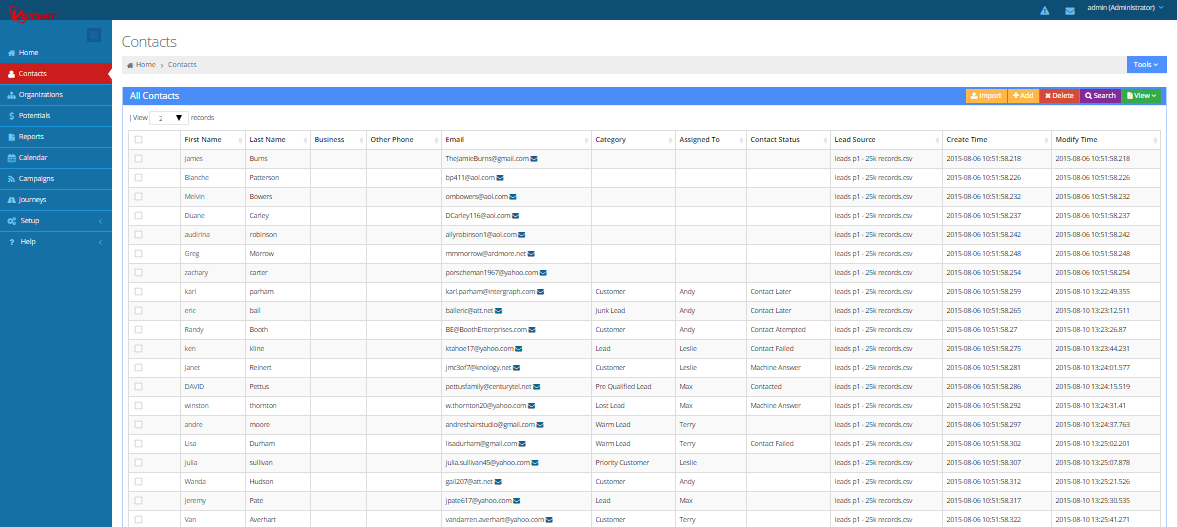
WIth Voicent CRM marketing tools, you'll get high quality leads delivered right to your doorstep. Voicent CRM captures leads for you by automatically creating CRM records from web forms, phone calls, and emails.
Track customers through their journey with custom milestones and progress detection. Our CRM helps quicken the pace of closing deals and frees up your agents' time through sales automation.
Callers will love your customer service when you use Voicent CRM's automatic CRM record popup screens. When you use IVR Studio with Voicent CRM, you can even play different phone menus based on the caller's pipeline stage.
Voicent allows you to harness the power of multi-channel customer engagement by providing dialers, PBX, and IVR software that connect seamlessly to Voicent CRM. With these tools, you can automatically send emails, schedule follow up calls, and trigger text messages--all without lifting a finger.
With workflow triggers, you and your employees won't have to manually change CRM record information. Voicent CRM will do it for you. For example, if a lead makes a payment over the web, Voicent CRM can automatically change the lead's category from "Lead" to "Customer". The email drips sent to this lead will automatically switch to your "Customer" email drip. Plus, a text message alert, for instance, can be sent to one of your agents about the new purchase.
When you buy on-premise Voicent software, we make sure you get the most out of your purchase. On-premise software purchases get you a lifetime software license that you never have to renew. Simply buy once and own it for life.
