Starting From: $288
Upcoming Webinars

Advantages of Voicent's
BroadcastByPhoneAuto Dialer
- One time purchase, use forever
- No monthly fee, no contract
- Instant Download
- Works on any PC
- Works with VOIP, PBX, phone line
- Easy to use
- You can try it before you buy it
The telephone audio format

Get Rid Of Initial Silence
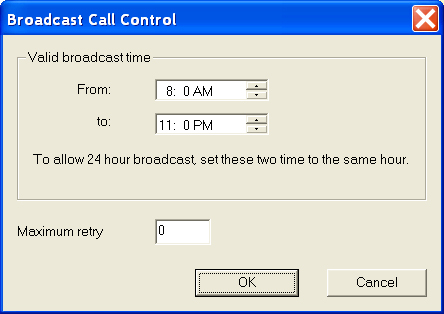
How to Set Broadcast Time for Voicent Auto Dialer
You can specify the broadcast time to prevent outbound calls during inappropriate times, such as late in the evening. To set the time, select Broadcast --> Options from the main menu.
An ongoing broadcast will be automatically stopped once it reachs the blocked time.