
Share This Post:
Setup autodialer opt out feature
With Voicent Broadcast by Phone autodialer, setting up opt out is really easy. Here are the steps:
1. Open Message Designer and proceed to add a new message or edit an old message
2. Select “Live Pickup” for the message type
3. Select “Need Confirmation and response”
4. Click the New button, choose press key such as 9, and select Opt Out.
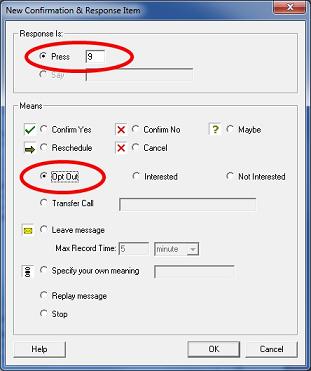
5. Select “Broadcast” from the program main menu, click “Select Message”, then choose the newly designed message
6. Start Broadcast
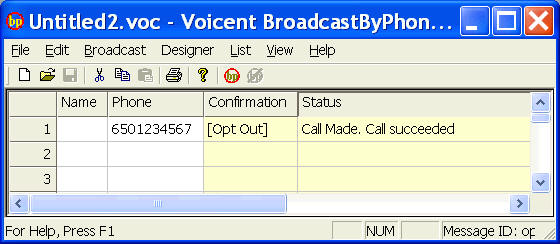
When someone presses one, the result will be displayed in the confirmation column as show below:
Share This Post:
This entry was posted in Auto Dialer. Bookmark the permalink.