
Share This Post:
Setup CallCentric VoIP Service
Callcentric is a popular VoIP service used by many Voicent customers. It has been tested with Voicent software and it is known to work for both inbound and outbound applications.
Step 1: Register a CallCentric VoIP Account
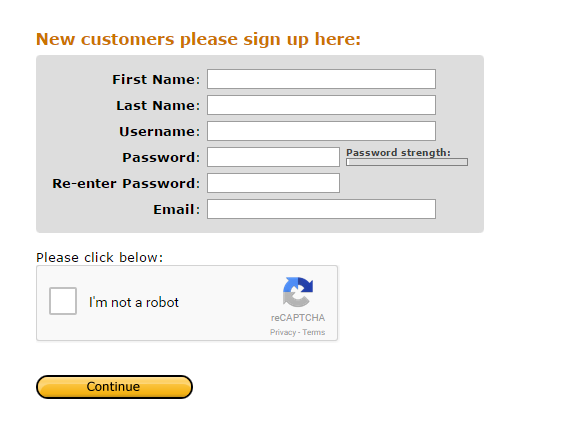
In order to complete this tutorial you need to first sign up for a CallCentric VoIP account. To do so please click here. You should see an image like the one below. Please fill in all the information and hit Continue.
Step 2: Obtain your SIP ID
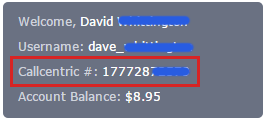
Login to your CallCentric account to get information for Voicent SIP configuration. Once you login, you should see a box on the top left corner of your dashboard that states your CallCentric #. This is your SIP ID. The image below shows where to find this box.
Step 3: Setup Your SIP with Voicent Gateway
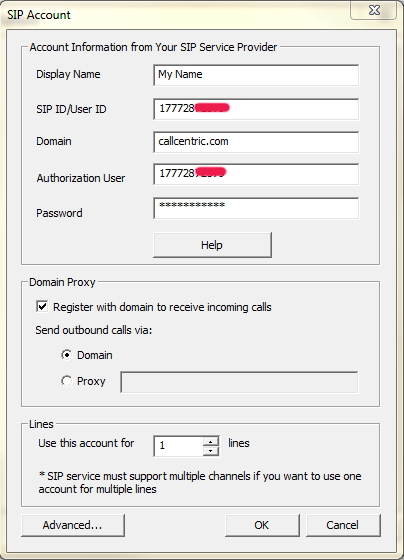
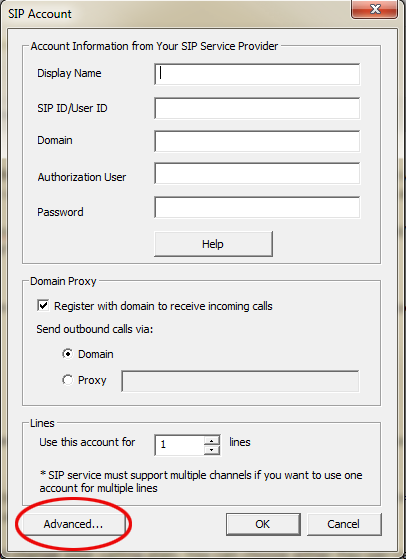
Enter the following information to Voicent App, SIP Screen. To get here open the Voicent App, then travel to Setup > Options > SIP.
Make sure to put your SIP ID and username in the correct fields. Also note, the username is the SIP ID, not your CallCentric login name.
Display Name: Your name
SIP ID/User ID: Enter your SIP ID
Domain: callcentric.com
Authorization User: Enter your SIP ID
Password: Enter your CallCentric password
Step 4: Setup STUN Server
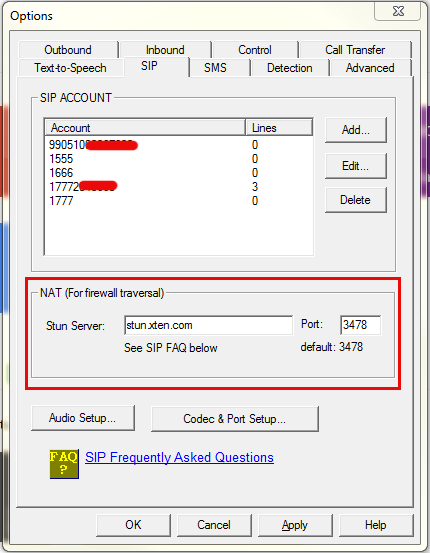
Close the SIP account dialog window. Directly below the SIP Account Box you should see a NAT (for firewall traversal) section. Enter the STUN server name, type stun.xten.com, which is a public stun server. You could also use servers provided by your VoIP service provider. Look at the image below.
Step 5: Inbound Application Setup
For inbound applications, please make sure you do the following. From within the add SIP Account window, click Advanced…. You can see this in the image below.
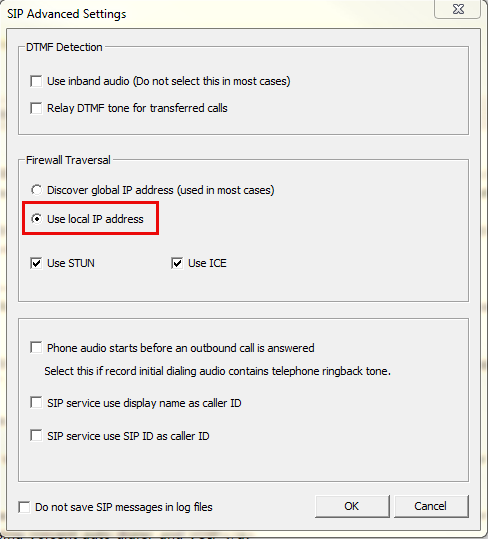
Now select use local IP address and then click Ok.
Step 6: Setup CallCentric Credit:
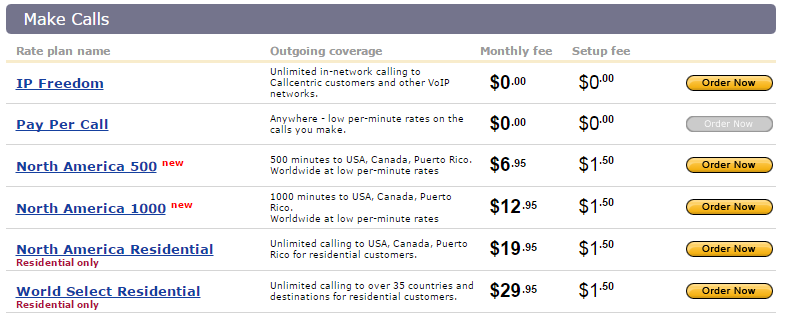
Login to your CallCentric account again to setup your calling plan. You can choose either Pay-per-call or a monthly plan. You must purchase outbound call credit and signup for a rate plan in order to call landlines or cell phones. Please note; CallCentric’s IP Freedom plan does not allow you to make calls to a landline or cell phone.
From your CallCentric Dashboard, press Make Calls located in the navigation bar at the top.

Now you can purchase your plan.
Step 7: Make an Outbound Call
Open Voicent’s BroadcastByPhone program and enter your own name and phone number. Click the Broadcast button at the top, then click select message, click OK. Now hit Broadcast in the navigation again and click Start/Schedule. Please note make sure you enter the country code (1 for US and Canada). For example, use 14081234567 instead of 4081234567.
Step 8: Receive Calls
If you want to use Voicent for inbound calls, you will need to purchase a DID number. This number allows you to call your CallCentric account using a regular phone. Setup a Voicent application, like FlexPBX or an IVR application on Voicent Gateway, call your DID number, Voicent gateway should automatically answer the call, and interact with it using the application you specified.
To make simultaneous calls using Voicent software, please see  Video Help: Make Simultaneous Calls using Voicent auto dialer and VOIP
Share This Post: